A ping test is used in order to confirm that a device is able to reach the network, as well as to measure the latency of the connection from the user's device to the internet. This article will show how to perform this test on computers running both Mac OS as well as Windows, the two most popular operating systems used by customers.
Windows
- Open Command Prompt: Press the Windows key + R, type "cmd" and press Enter.
- Enter Ping Command: Type "ping" followed by a space and then the website address or IP address you want to test then a space and -t (e.g., "ping google.com -t" or "ping 8.8.8.8 -t").
- Run the test: Press Enter
- Stop the test: To stop the continuous ping, press Control + C.
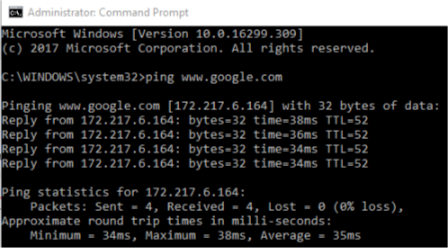
Example of Ping Test on Windows
Mac OS
- Open Terminal: Navigate to Applications > Utilities > Terminal.
- Enter Ping Command: Type "ping" followed by a space and then the website address or IP address you want to test (e.g., "ping google.com" or "ping 8.8.8.8").
- Run the test: Press Enter.
- Stop the test: To stop the continuous ping, press Control + C.
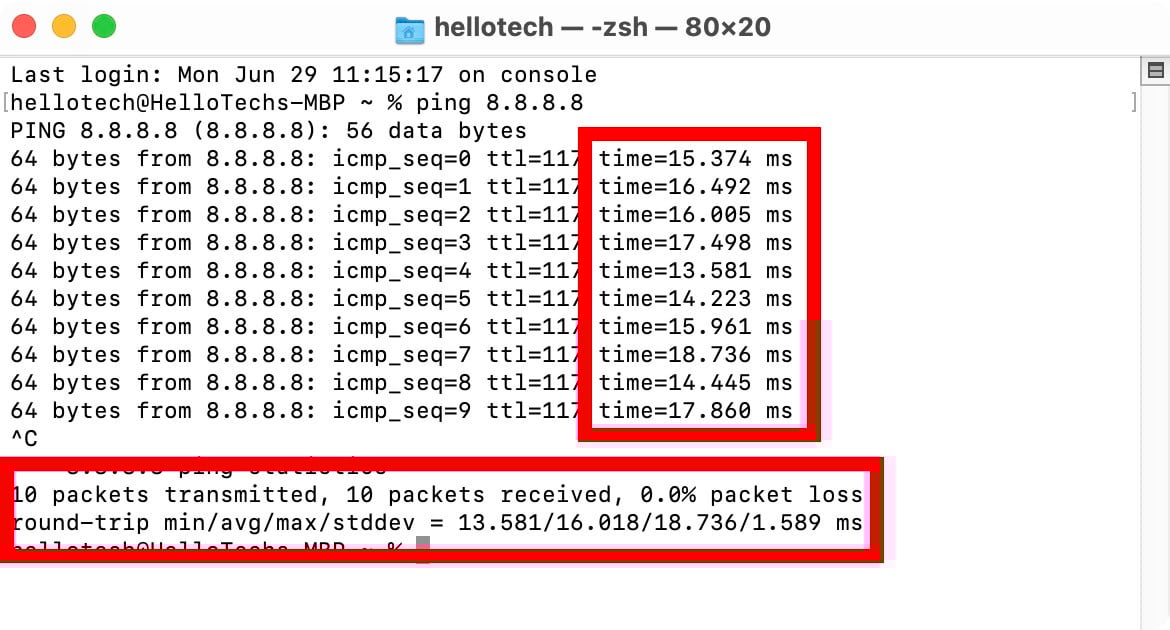
Example of Ping Test on Mac OS